"We used to spend hours writing up procedures. Guidion cut that to minutes. Our onboarding docs are now clear, consistent, and actually get used."
No cloud. Fair pricing. Plans for every team.
Guides.
Screenshots.
Recordings.
OCR.
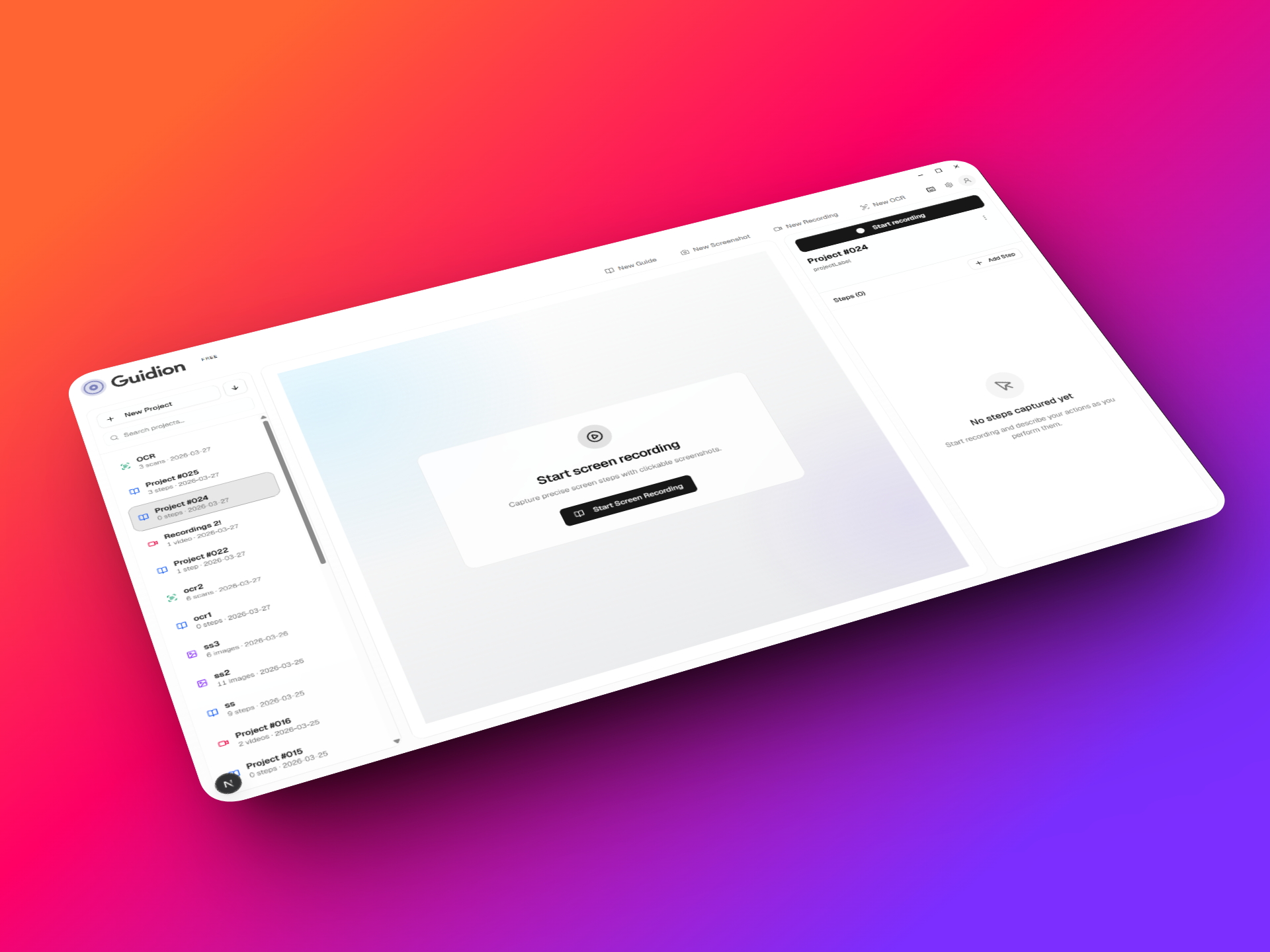
Four purpose-built tools in one app — create step-by-step guides, annotate screenshots fast, record clean screen videos, and extract text with local OCR. Your data never leaves your machine.
Guides
Turn how you work into step-by-step process docs
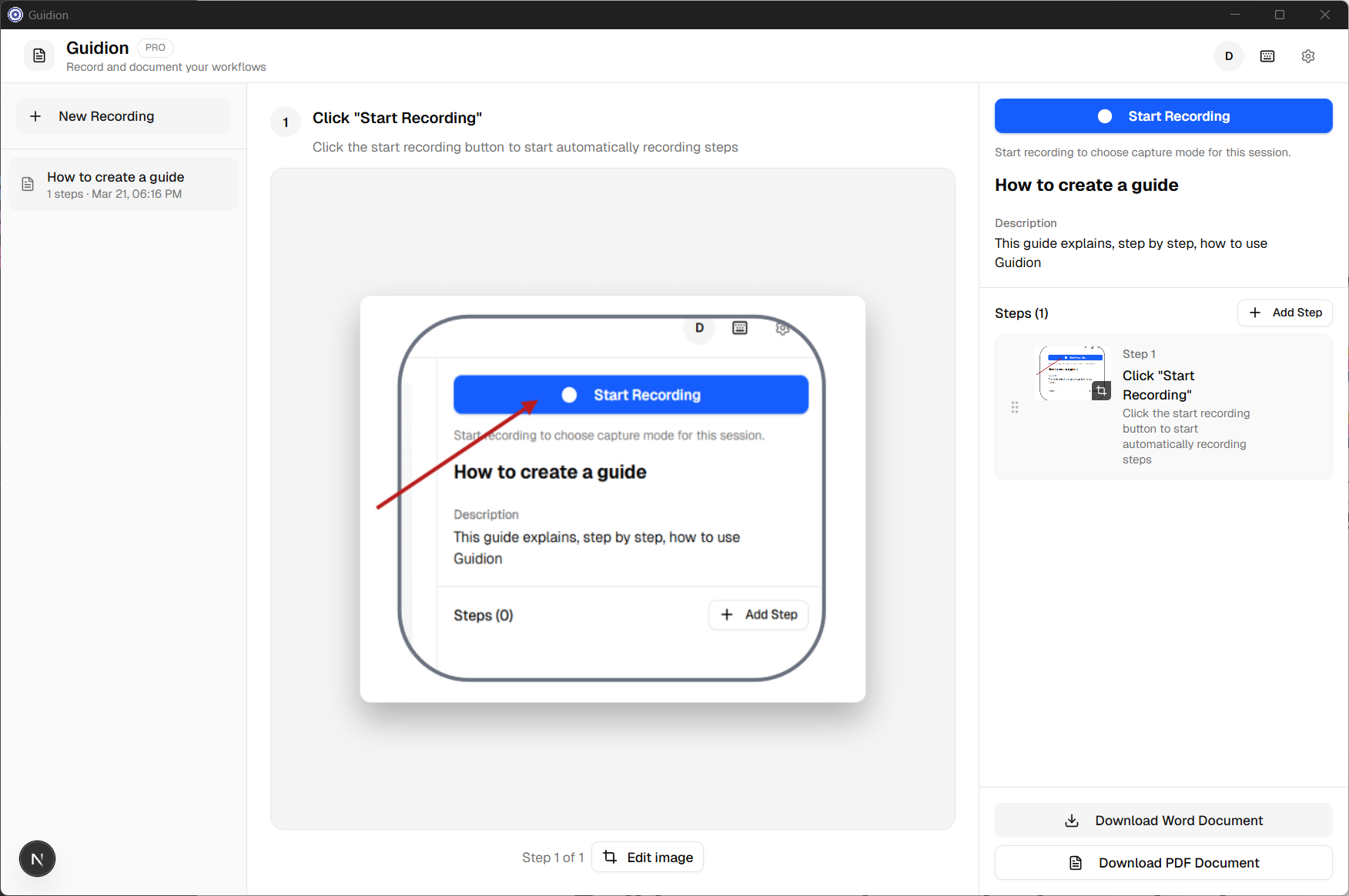
Work in any app — browser, spreadsheet, CRM — and capture each step as you go. Click to take a screenshot or use a global hotkey without switching windows. Mark up every image with arrows, blur, numbered callouts, and shapes. Export branded Word or PDF documents your team can actually follow.
- Capture from any app — hotkey or click, no workflow interruption
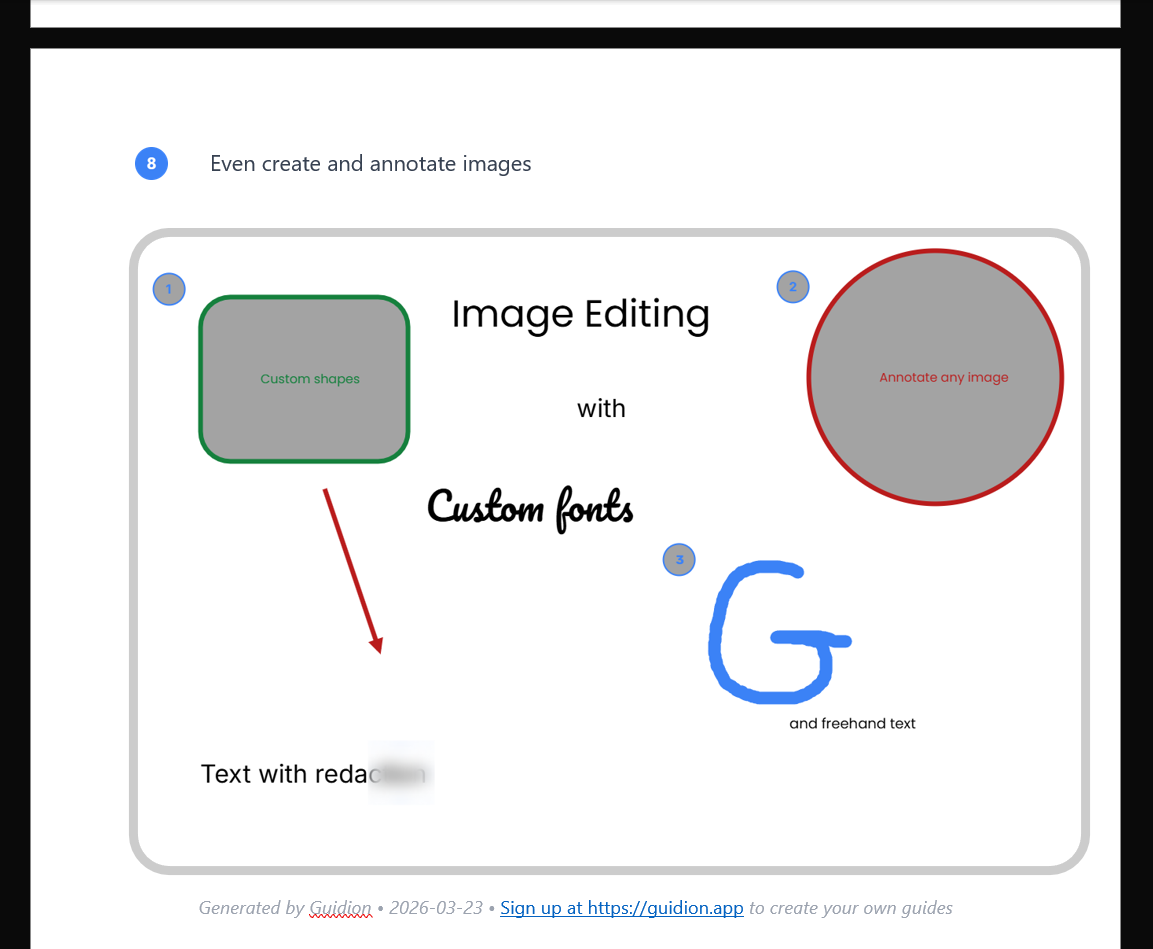
- Built-in markup editor — arrows, blur, callouts, shapes, text
- Export to Word or PDF with your own branding and templates
SOPsOnboarding guidesHow-tosClient handbooks
Screenshots
A snipping tool that doesn't forget you need to annotate
Take a screenshot, capture any region of your screen, and immediately mark it up — arrows, blur, numbered callouts, text. Copy directly to clipboard or save to disk. Fast. No walkthroughs, no galleries, no cloud.
- Region or full-screen capture — click or use a hotkey
- Annotate immediately — arrows, blur, numbering, text, shapes, etc.
- Copy to clipboard or save directly from the editor
Bug reportsClient feedbackQuick referencesSupport tickets
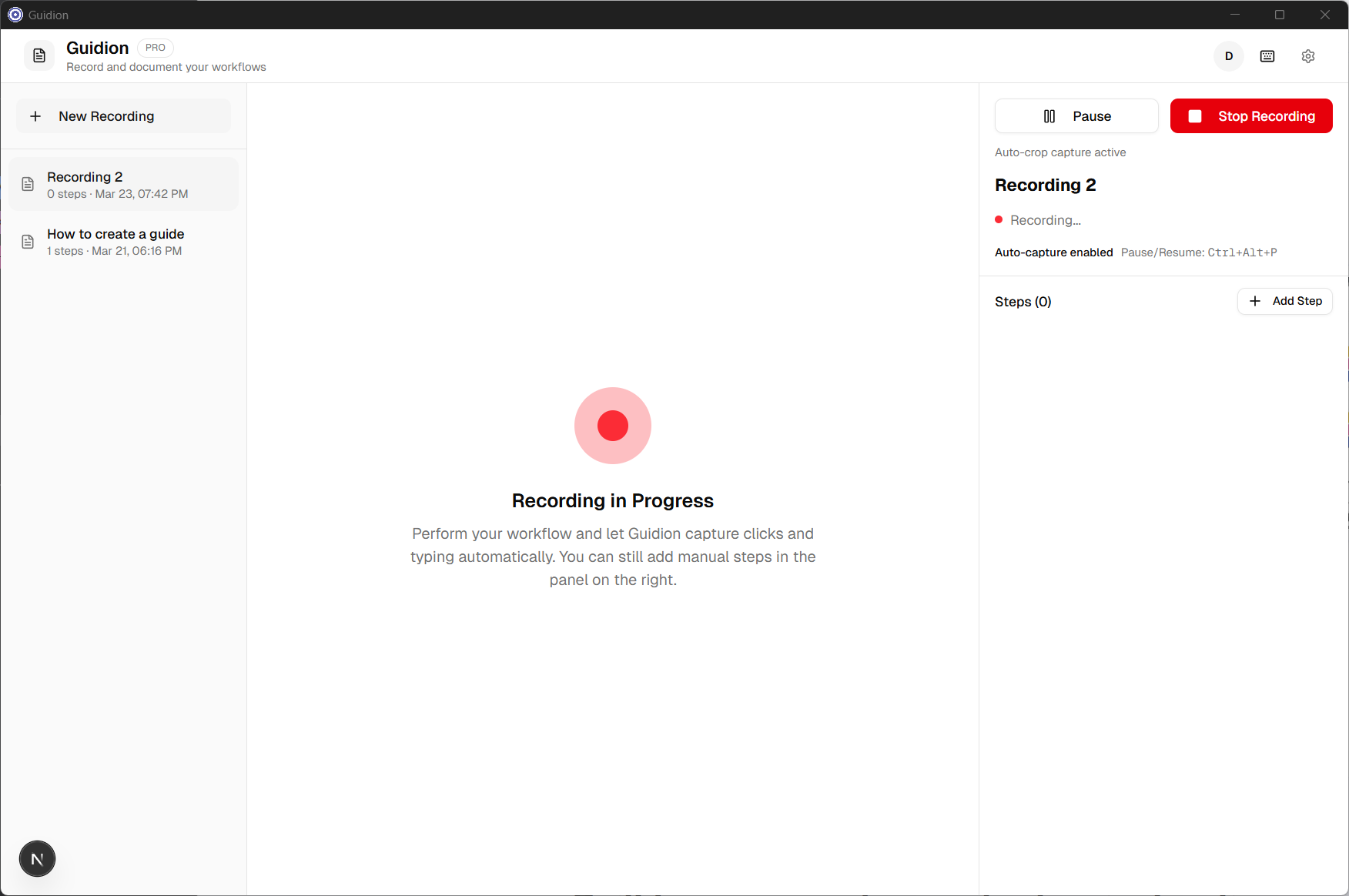
Screen Recording
Record your screen. Trim the noise. Export a clean video.
Start a recording, work through your demo or training naturally, then trim the fumbled start and awkward end, crop the frame to focus on what matters, and export a clean video file — all without leaving the app.
- Start recording instantly — hotkey or click, no app switching
- Trim start/end and crop the frame in-app
- Export clean video locally — no watermarks, no uploads
Demo videosTraining clipsProduct walkthroughs
OCR
Pull text from any screenshot — right on your machine
Press Alt+Shift+T, drag over any screen region, and Guidion reads the text for you. Tesseract OCR runs entirely on your machine — no API keys, no cloud processing, no copy-paste relay. Every extraction lands in a dedicated project inbox so nothing gets lost.
- Global hotkey capture — select any screen region with Alt+Shift+T, from any app
- Runs entirely on-device — Tesseract OCR processes locally; no data ever leaves your machine
- Dedicated OCR inbox — all extractions auto-saved so you can copy or reference them later
Document scanningData entryLegacy contentDev & QA
What all four tools share
One platform, one annotation engine, one privacy model — no matter which tool you reach for.
One annotation engine across all three tools
The same arrows, blur, numbered callouts, shapes, and text tools work in Guides, Capture, and Recordings. Learn it once, use it everywhere.
100% local — your data never leaves your machine
No cloud sync, no analytics, no training data. Every guide, screenshot, and video stays on your computer. Internet only needed to activate your license.
Global hotkeys across all four tools
Start a Guide capture, snap a screenshot, begin a Recording, or extract text with OCR — from any app, browser, or spreadsheet, without interrupting your flow.
Flat pricing — not per-seat
Pay once per plan, not once per employee. One user or the whole team — the price doesn't scale with your headcount.
Four tools. One app. One install.
Everything your team needs to document work — starts free
No cloud. No per-seat pricing. No juggling separate tools. Try Guidion free today.
Why teams trust Guidion with sensitive work
Your business information stays yours. Full stop.
No cloud uploads
Files never leave your machine — not for sync, not for backup, not for anything.
No analytics
We don't track what you document, capture, or record. Your workflows are private.
No training data
Your content is never used to improve our models or anyone else's. We don't even see it.
Works offline
Internet only needed to activate your license. Capture, edit, and export from anywhere.
Used by ops teams, consultants, and founders
500+ Teams worldwide
4.9 User rating
"Finally, a tool that keeps our processes local. No cloud, fair pricing — we picked the plan that fits and our whole team can document how we work."
"The markup tools are exactly what we needed. Arrows, blur, numbering — our client deliverables look professional without leaving the app."
Who it's for
Built for the people who
Built for the people who
document how work gets done
Founders & owners
You're the only one who knows how the invoicing process actually works. Document it once, hand it off, and stop being the bottleneck.
Stop being the bottleneckOperations & quality managers
Turn how work actually gets done into consistent, templated documents that match your company standards and are easy to keep current.
Consistent SOPs in minutesTeam leads
Create onboarding guides and how-tos in minutes by capturing how you already do the work — then share the doc, not your time.
New hire guides, fastConsultants & agencies
Deliver polished, branded process documents and screen recordings to clients as part of your engagements — without spinning up extra tools.
Branded deliverables, every time
Start free — all four tools included
Free forever on the free tier · See paid plans for watermark-free exports
Frequently asked questions
What is Guidion?
Guidion is a Windows desktop app with four tools: Guides (step-by-step process documentation), Screenshots (fast capture-and-annotate, like a powerful Snipping Tool), Screen Recording (screen recorder with trim and crop), and OCR (text extraction from any screenshot, running locally via Tesseract). Everything stays on your machine — no cloud, no per-seat fees.
What's the difference between Guides and Screenshots?
Guides is for building multi-step process documentation — you capture screenshots over time, annotate each one, and export a full document. Screenshots is for single, fast captures: take a screenshot, annotate immediately, and copy to clipboard or save. Different workflows, same annotation engine.
How does pricing work?
We offer a free tier plus paid plans — one user per month or enterprise with unlimited users. No per-seat pricing. See our pricing page for details.
Is there a free trial?
Yes. The free version includes all features across all four tools — the only difference is watermarked exports. No time limit. Upgrade when you're ready for clean output.
Where is my data stored? Do you ever see it?
Everything stays on your machine. Guidion saves your guides, screenshots, videos, and exports locally. We don't host, upload, or access your content — and we never use it for training or analytics.
Can I use it offline?
Yes. You only need internet to sign in or activate your license. After that, all three tools work without a connection.
Can I use my own branding and templates?
Yes — in Guides. Apply your own document templates, logos, fonts, and heading styles on export. Every guide can look like it came from your team.
Does it run on Mac?
Guidion currently runs on Windows 10 and Windows 11. macOS support is in development and coming soon.
What is OCR?
OCR is Guidion's built-in text extraction tool. Press Alt+Shift+T, drag over any screen region, and Guidion reads the text using Tesseract — running entirely on your machine. There are no API keys, no cloud processing, and no per-scan fees. Extractions are saved to a dedicated OCR project inbox so you can copy or reference them any time.
Can I cancel my subscription?
Yes, any time. We don't offer refunds, but your license stays active through the end of your billing period. After that you revert to the free version — your data stays on your machine.
Everything your team needs to document work — in one local app
No cloud. No per-seat pricing. No juggling four different tools.
Guides Screenshots Screen Recording OCR